New Version 3.1.1 is here. The 3.1 line adds an MCP server, so an AI agent can attach, scan, walk pointer chains and patch code in the same live session you are looking at. What’s new ›
Game Reversal Club
Pointer
Lab
Memory Research Tool
for Windows
Version 3.1.1 Open Source

Pointer Lab logoPointer Lab

Memory scanner & debugger for Windows
Price
Free
Version
3.1.1
Platform
Windows
License
GPLv2
Free & Open Source Memory Scanner Debugger C++20 No Installer
Attach to a running 64-bit or 32-bit game, scan its memory for a value, and follow it all the way down: find the instruction that writes to it, walk the pointer chain that still resolves after a restart, lay out the structure it lives in, and patch the code responsible. That is the step from “I found my health” to “I found the player object.” Built from scratch in C++20 on a Dear ImGui dockspace, Pointer Lab covers the same ground as a classic memory scanner and adds a full x86-64 disassembler and assembler, an auto-assembler for shareable code injections, a speed hack, and an embedded Lua console. It ships a tutorial that teaches all of it, so the first thing you practise on isn’t somebody else’s software. Since 3.1.0 it also speaks MCP, so an AI agent can work the same session you are, in the window in front of you. Every part of it is open source under the GPL, so nothing it does is a black box.
Free
Portable .exe. No installer, no account, no runtime prerequisites
↓ Download from GitHub View Source on GitHub
Developer
Game Reversal Club
Open Source Software

See all software from this developer

Screenshots

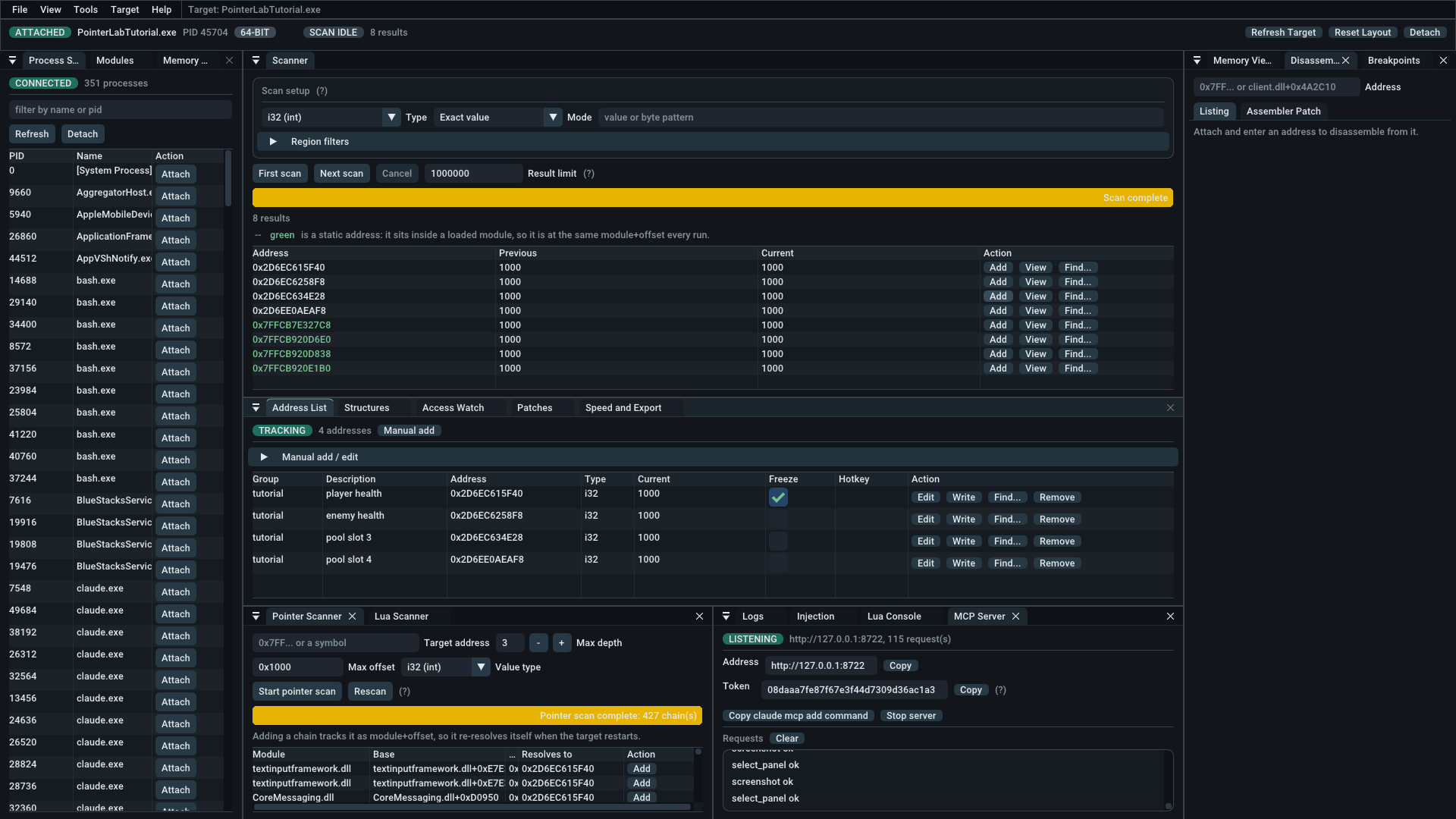
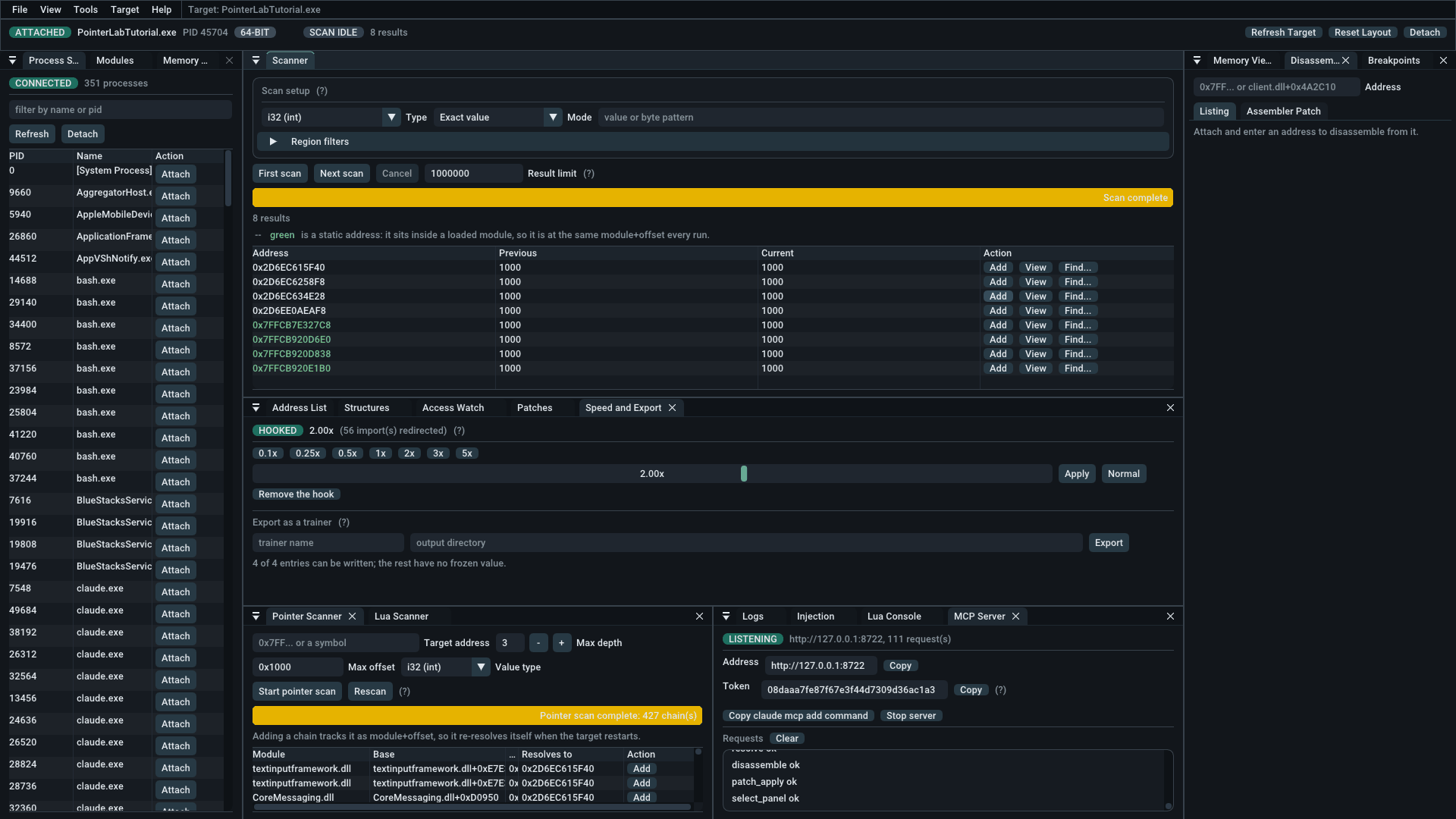
Pointer Lab attached to PointerLabTutorial.exe. The scanner shows eight results of an exact 32-bit scan for 1000, four of them green static addresses; the address list below tracks four of them with one frozen; the pointer scanner reports 427 chains; the MCP server panel reports 55 requests.
One session, start to finish. Attached to the bundled tutorial, an exact scan for 1000 narrowed to eight hits — the green ones are static, sitting inside a loaded module at the same module+offset every run. Four are tracked below, one frozen. The pointer scanner has found 427 chains that reach the first of them.
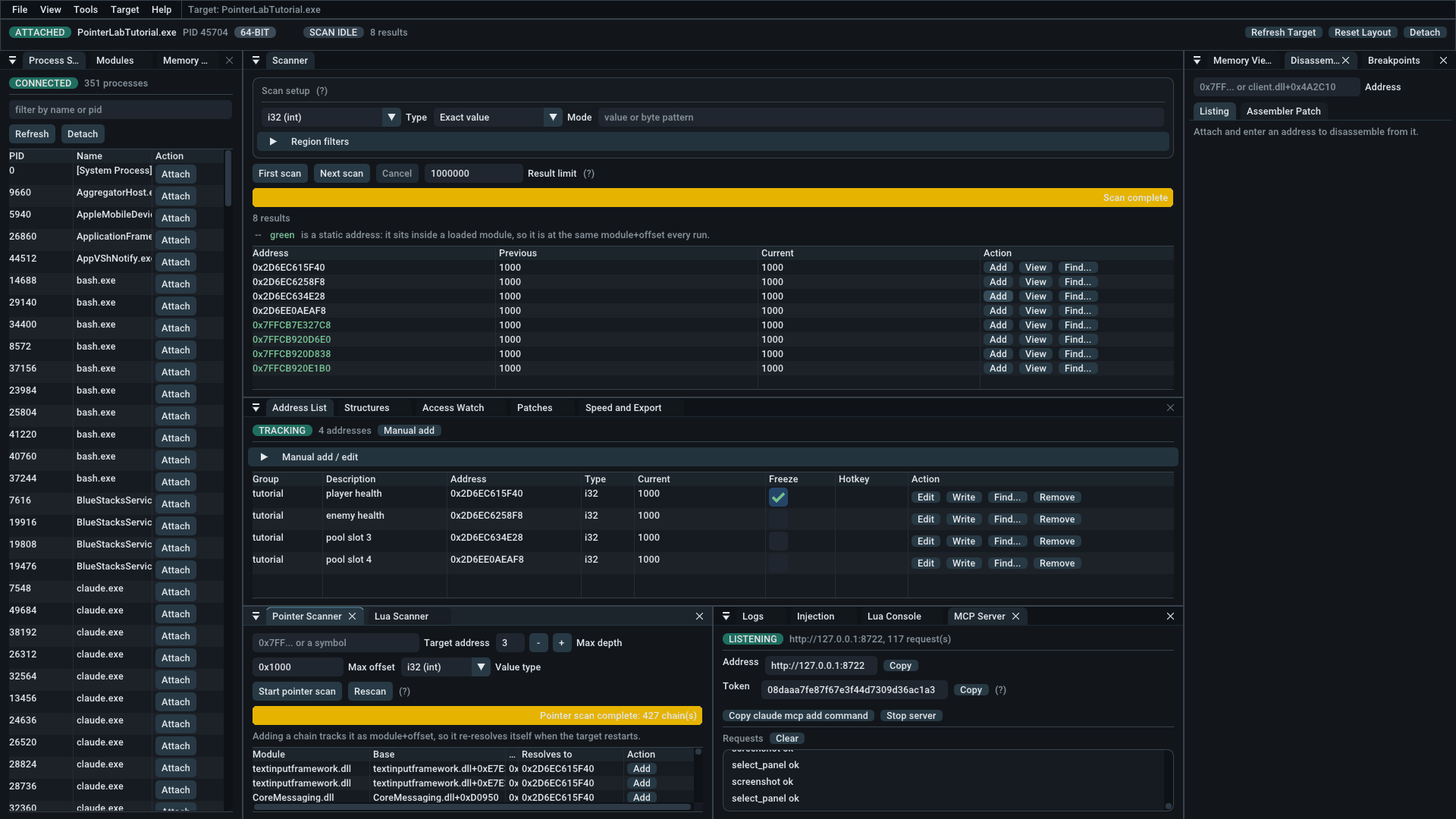
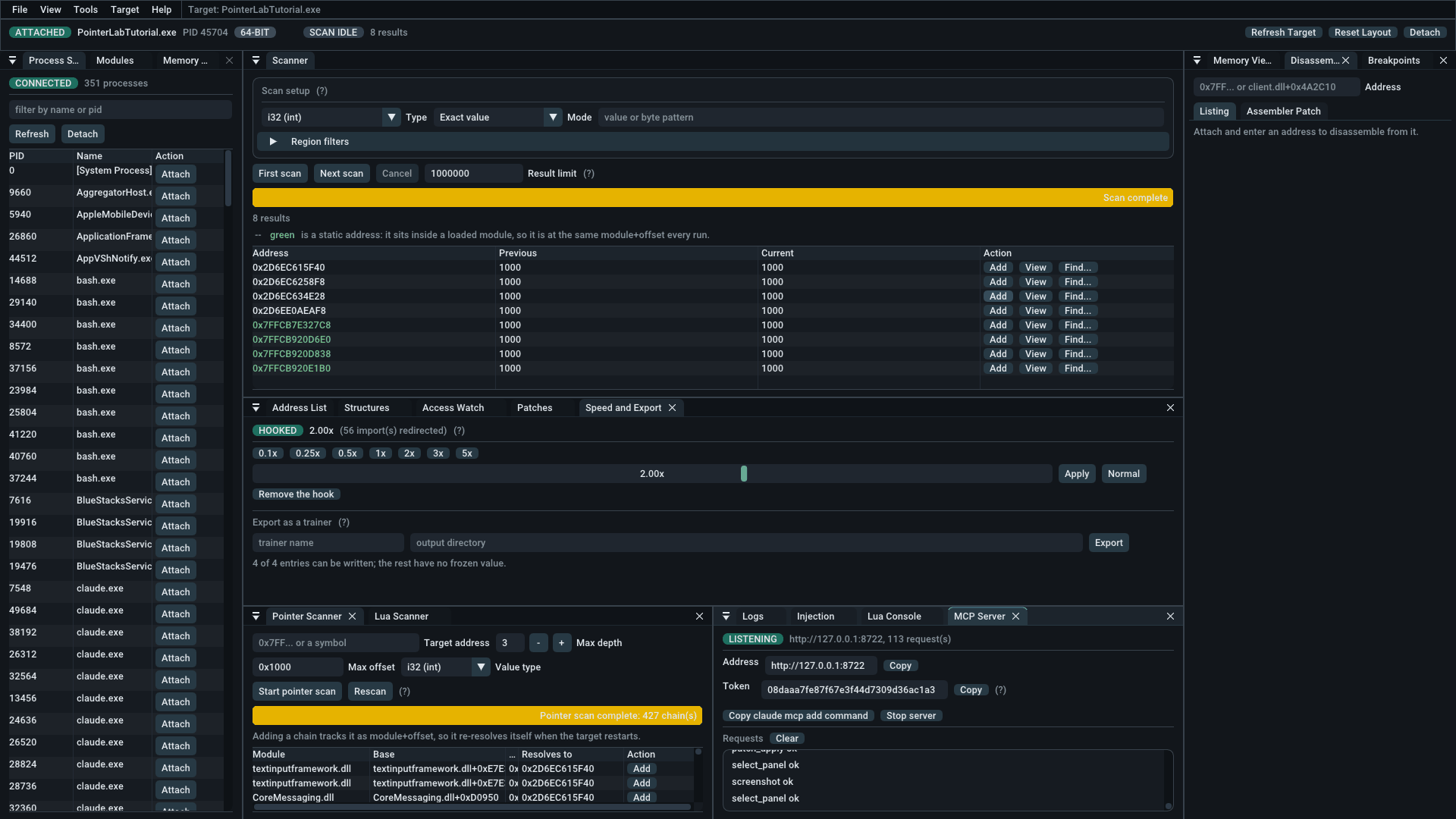
The MCP Server panel, listening on 127.0.0.1:8722, showing the address, session token, a copy-registration-command button and a scrolling log of tool calls made by an agent.
The MCP server, mid-session. Everything in these screenshots was done by an agent over this connection — the attach, the scan, the address list, the pointer scan, and the screenshots themselves. The request log is the record of it. The token shown is already dead: a new one is generated every time the server starts, and it is never written to disk.
The address list tracking four addresses in a group called tutorial, each with a description, type and current value, the first with its freeze box ticked.
What you found, kept. Descriptions, groups and types, with the current value re-read on a timer. A ticked freeze box is written back twenty times a second, which is what holds a value against a program trying to change it.
The pointer scanner after a completed scan, reporting 427 chains, listing each by module, base expression and the address it currently resolves to.
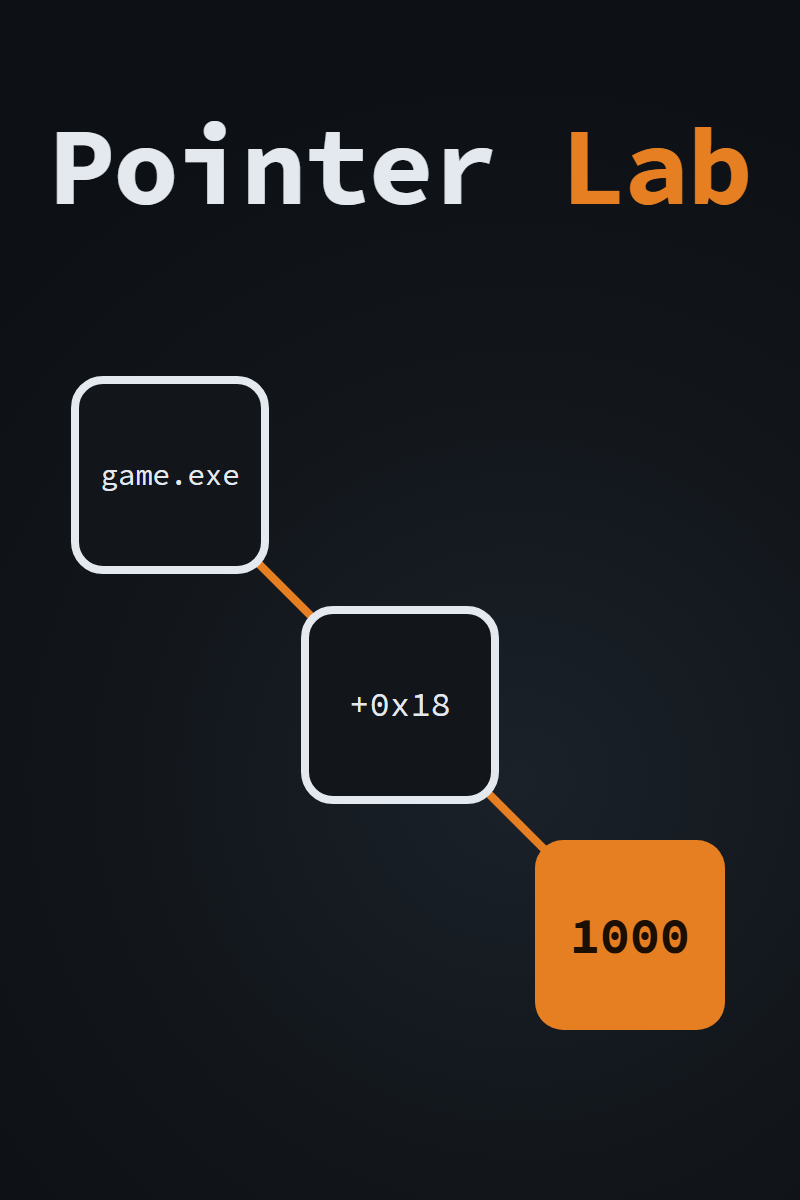
427 chains to one address. A heap address is different every run; a chain from a module is not. Each row is a base plus offsets that lands on the value, so adding one tracks it across a restart instead of going stale the moment the game closes.
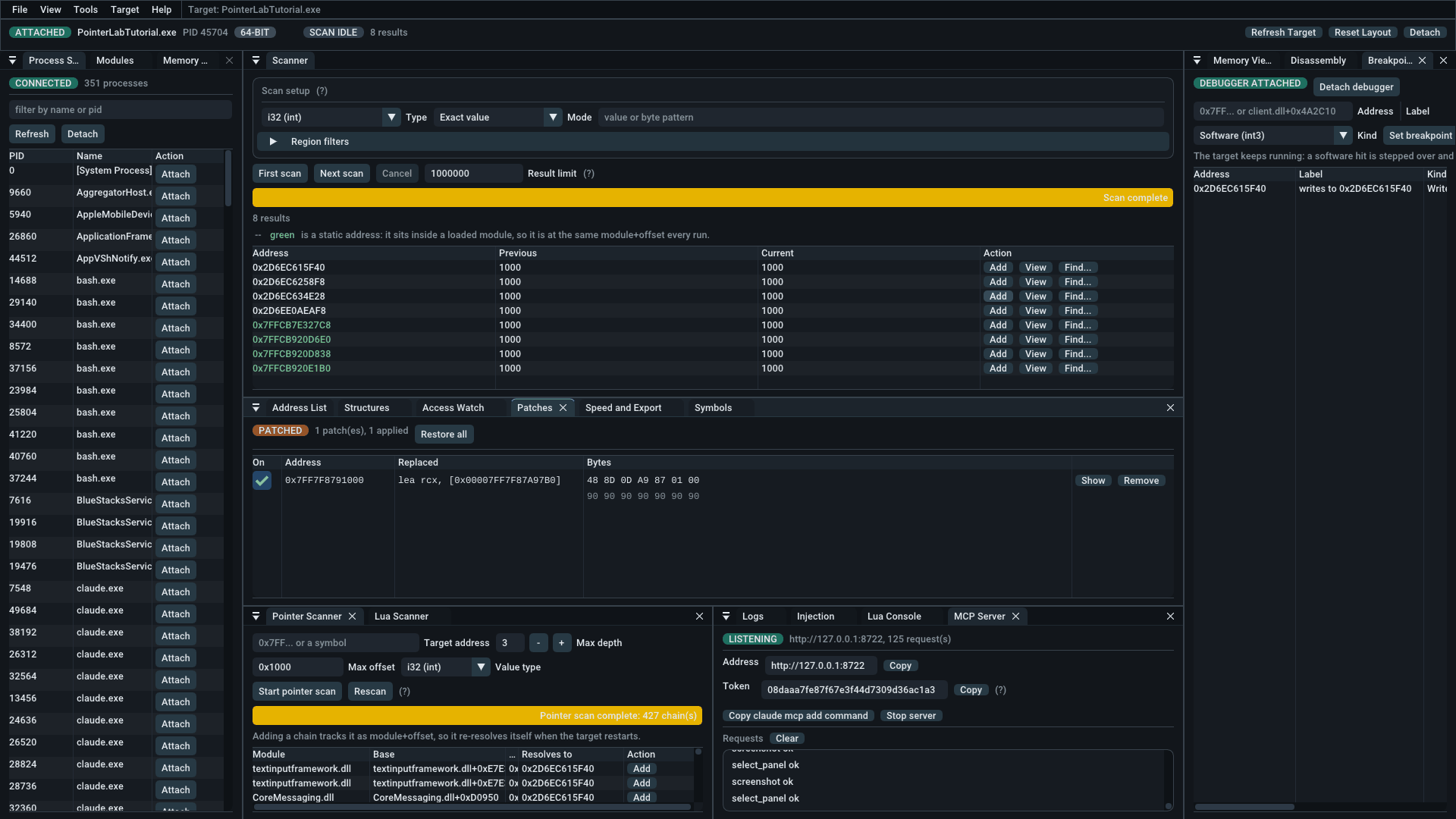
The patches panel showing one applied patch: the replaced instruction lea rcx, and the bytes written over it padded out with nops.
Every byte written down. The panel keeps what was there before — here a lea rcx — so a patch can be unticked and put back. It is padded with nops to cover whole instructions, because a patch shorter than what it replaces leaves a truncated instruction and crashes the target.
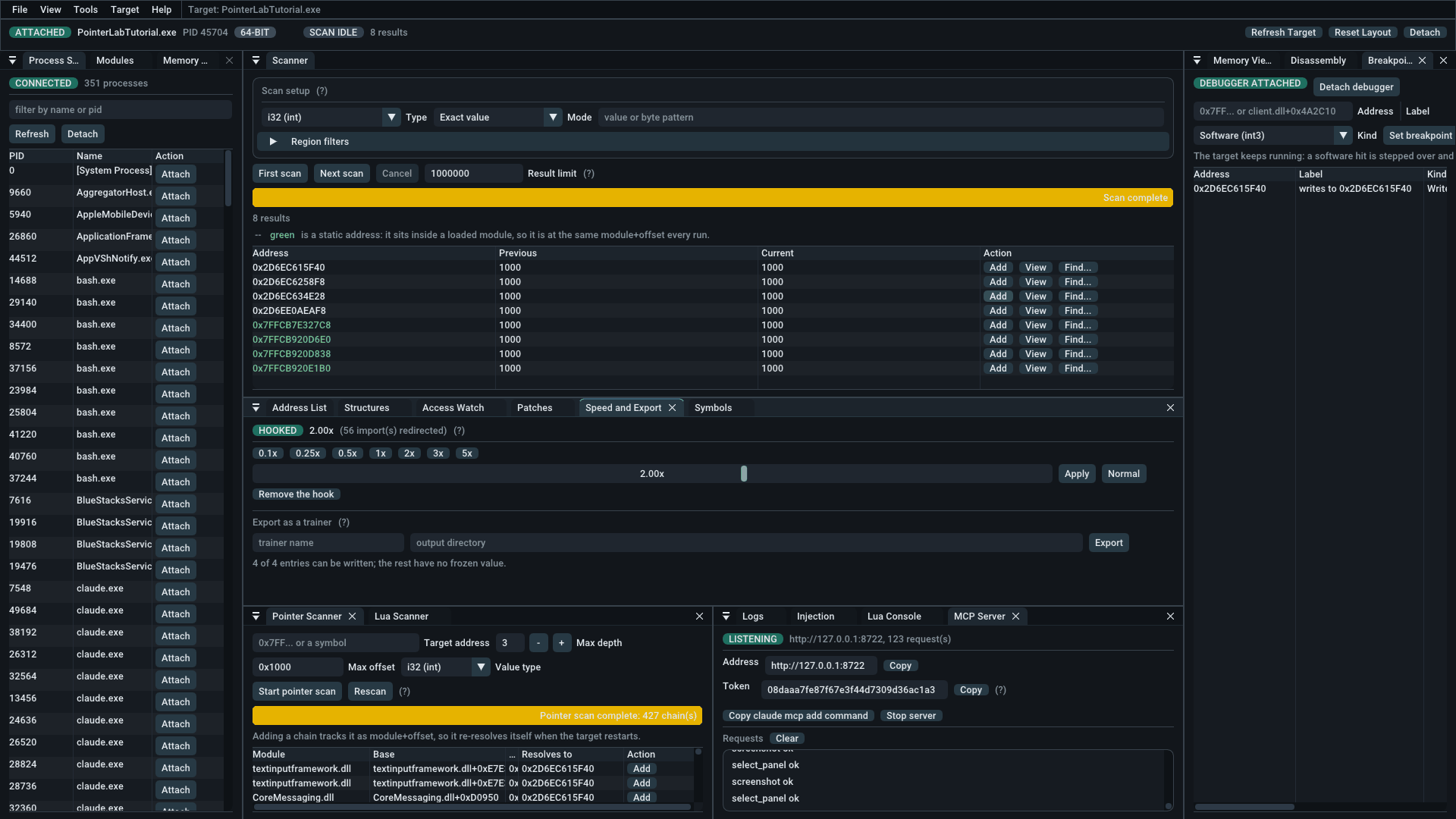
The speed and export panel showing a hooked target running at 2.00x with 56 imports redirected, and the trainer export form below it.
Hooked, at 2.00x. The speed hack rebases the clocks the program reads rather than knowing anything about the program, so it works anywhere the trick does. The count of redirected imports is shown because a program that asks the time some other way is a case worth seeing rather than a silent no-op.

Item Specifics

Name
Pointer Lab
Author
Heath Howren (“Cyborg Elf”)
Version
3.1.1 (2026)
Type
Memory scanner & user-mode debugger
Platform
Windows 10 / 11 (64-bit host); attaches to 64-bit and 32-bit targets
License
GNU General Public License v2.0
Price
Free
Language
C++20
Interface
Dear ImGui dockspace (Direct3D 11)
Distribution
Portable executable, no installer
Requirements
None. Statically linked; run as Administrator for full access
Source Code

Features

12 scan modes, exact to delta
Text search (ASCII & UTF-16)
Byte patterns with wildcards
64-bit & 32-bit (WOW64) targets
Address list with value freeze
F1–F12 global freeze hotkeys
Multi-level pointer scanner
Pointer rescan across restarts
Find out what writes (Access Watch)
Auto-assembler & code injection
Structure dissector
Navigable hex editor
Patch list with rollback
Module+offset address expressions
x86-64 disassembler (Zydis)
x86-64 assembler (Keystone)
Software & hardware breakpoints
Speed hack (0.05x–20x)
Trainer export (CMake source)
Bundled tutorial target
Lua 5.4 scripting console
MCP server (76 tools, for AI agents)
Saveable project files

What’s New in 3.1.0

Pointer Lab now speaks the Model Context Protocol, so an AI agent can attach to a process, scan it, walk pointer chains, dissect structures, set breakpoints and patch code — 76 tools, the same ones the panels are built on. The server runs inside the running application and shares its session, which is the whole point: the process the agent attaches to is the one on your screen, a scan it starts fills the Scanner panel while you watch it run, and an address it finds appears in your address list a frame later. One session with two people at it, rather than an agent working blind in a copy of your tool.

It is a minor version because nothing else moved. Project files are still format version 3, every panel and menu is where 3.0.0 left it, and a session saved by 3.0.0 opens unchanged. The current download is 3.1.1, which is 3.1.0 with one correction to the MCP reference that ships beside it — no behaviour changed.

The whole tool, not a subset
Scanning, symbols, pointer chains, the structure dissector, disassembly and assembly, breakpoints, the access watch, patches, injection, the speed hack, project files, even the window itself. Where a tool does the same job as a Lua function it carries the same name.
You can watch it work
An MCP Server panel logs every request as it arrives. After an agent has been working, that log is the only record of the hundred steps nobody was watching, and it is what lets you pick the session back up knowing what happened to it.
Loopback only, token required
It binds 127.0.0.1 and nothing else, and refuses any request without a session token that is regenerated on every start and never written to disk. Nothing off your machine can reach it.
Off until you turn it on
The server does not run unless you start it, and the panel hands you a ready-made registration command for your client so the token header is not assembled by hand.

Starting it is the only thing you will be asked. Everywhere else in Pointer Lab, anything that patches, injects into or detaches from a live process asks first. The MCP server does not. While it is running, a client holding the token can read and write the target's memory, patch its code, allocate, load a DLL into it and start threads in it, with no further confirmation. That is deliberate — a prompt an agent trips every few seconds is one a person learns to click through, which is worse than no prompt because it looks like a control — but it means the decision is made once, at Start, and covers everything that follows.

The token is access control over the connection, not a check on what a caller may then do: it decides who may call, not what they may call. And nothing an agent does is undone when it disconnects — patches stay applied, allocations stay allocated, injected libraries stay loaded. Stop the server when you are finished; detaching, loading a project and the target exiting all leave it running.

Previously, in 3.0.0

Version 3.0.0 is the release that makes Pointer Lab a complete tool rather than a capable one. It is a major version for one reason: it now attaches to 32-bit games as well as 64-bit ones, and treats them correctly everywhere not just in the scan, but in the pointer chains, the disassembly and the code injection too.

32-bit target support
Attach to 32-bit games too. Scanning, pointer chains, disassembly and injection all handle WOW64 targets correctly, where before they failed silently.
Find out what writes
Point the Access Watch at an address and it names the instruction touching it, busiest first, and often the base of the object it belongs to.
Auto-assembler
Write a code injection as an [ENABLE]/[DISABLE] script you can read, check before it runs, share, and re-run after the game restarts.
Structure dissector
Lay a named layout over two objects at once. The fields that read the same are shared state; the ones that differ are what’s worth naming.
Speed hack
Slow a game to 0.05x or push it to 20x by rebasing the clocks it reads. It needs to know nothing about the game, so it works anywhere the trick does.
A tutorial to learn on
PointerLabTutorial.exe ships alongside: nine gated lessons, x86 and x64, each built so the lazy technique fails and only the right one passes.

Before You Download

Intended use. Pointer Lab is for inspecting software you own or are authorised to test: your own programs, single-player games, CTF binaries, and reverse-engineering practice. Using it against online or competitive games will very likely trip anti-cheat software and get the account banned, and using it against software you do not have permission to modify may be illegal where you live. There is no kernel driver, no anti-anti-cheat, and no attempt at stealth. This is a research tool, not a bypass.

The MCP server is off unless you start it, and asks nothing once you do. It is the one part of Pointer Lab that does not confirm destructive actions: while it is running, a client holding its token can patch, allocate and inject with no prompt. It binds to your machine only and needs a token that changes every start, but that decides who may call, not what they may call. The full posture is above, and it is worth reading before you turn it on.

SmartScreen will warn you. Release binaries are unsigned, because code-signing certificates cost money this project does not have.

Antivirus may flag it. Reading and writing another process's memory, injecting a DLL and setting software breakpoints are exactly the behaviours heuristic scanners look for. That is the tool working as designed, not a reassurance that any given binary is safe. build it from source if you would rather not take that on trust.

64-bit and 32-bit targets. Pointer Lab is a 64-bit process, and since version 3.0.0 it also attaches to 32-bit (WOW64) targets and treats them as such throughout: scanning, pointer chains, disassembly, breakpoints and injection alike. The target's width is shown as a badge in the command bar, and a DLL you inject has to match it. Run Pointer Lab as administrator for full access. Without it many processes open read-only, and the command bar shows a READ-ONLY badge to say so rather than failing writes silently.